People
PrimeRole's integration with LinkedIn provides valuable insights into a company's workforce, helping you understand its size, structure, and the background of its employees. This information can be useful for various purposes, including networking, recruitment, and competitive analysis.
What Information is Available?
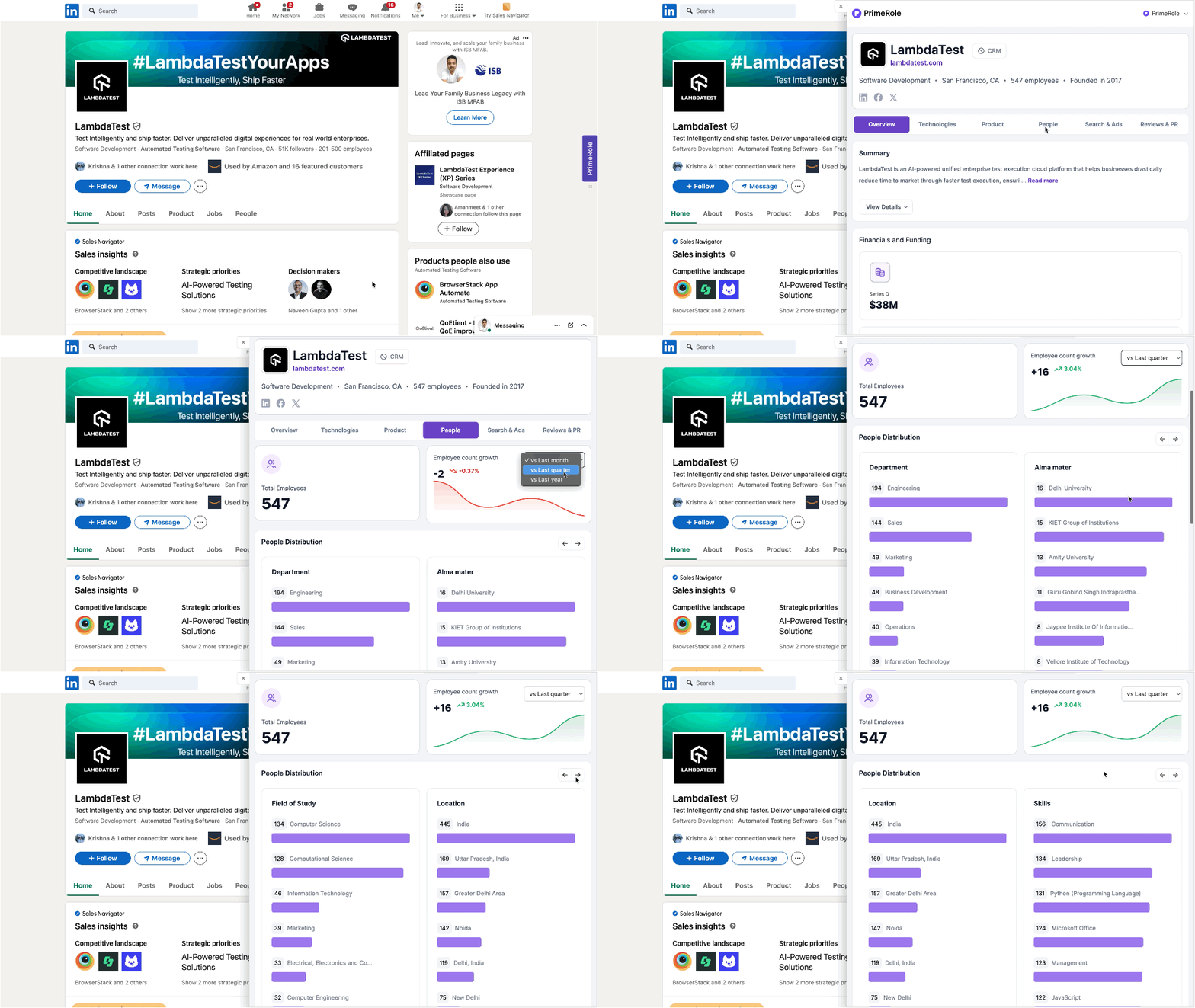
The "People" tab offers several key data points:
- Total Employees: The total number of employees at the company.
- Employee Count Growth (vs Last Month): The percentage change in employee count compared to the previous month, indicating growth or contraction.
- People Distribution (by Department): A breakdown of employees by department, showing the number of employees in each department to understand organizational structure and priorities.
- People Distribution (by Alma Mater): A breakdown of employees by their educational background, useful for understanding the company's talent pool and potential connections.
- Navigation Arrows: The presence of left and right arrows (← →) indicates that more data is available and can be viewed by navigating through the results.
How to Access the People Tab
- Connect PrimeRole to LinkedIn: Ensure your PrimeRole account is connected to your LinkedIn account. See the Extension Integration Guide for details.
- Navigate to a Company Page or Tag: Go to a company's LinkedIn page or find a company tag.
- Select the "People" Tab: Once the PrimeRole extension activates, click on the "People" tab to access employee information.
Benefits
- Understand Company Structure: Gain insights into the company's organizational makeup.
- Identify Potential Connections: Discover shared connections through the "Alma Mater" data.
- Track Company Growth: Monitor employee count growth.
- Recruitment Insights: Get a sense of the skills and backgrounds of employees.