Teams
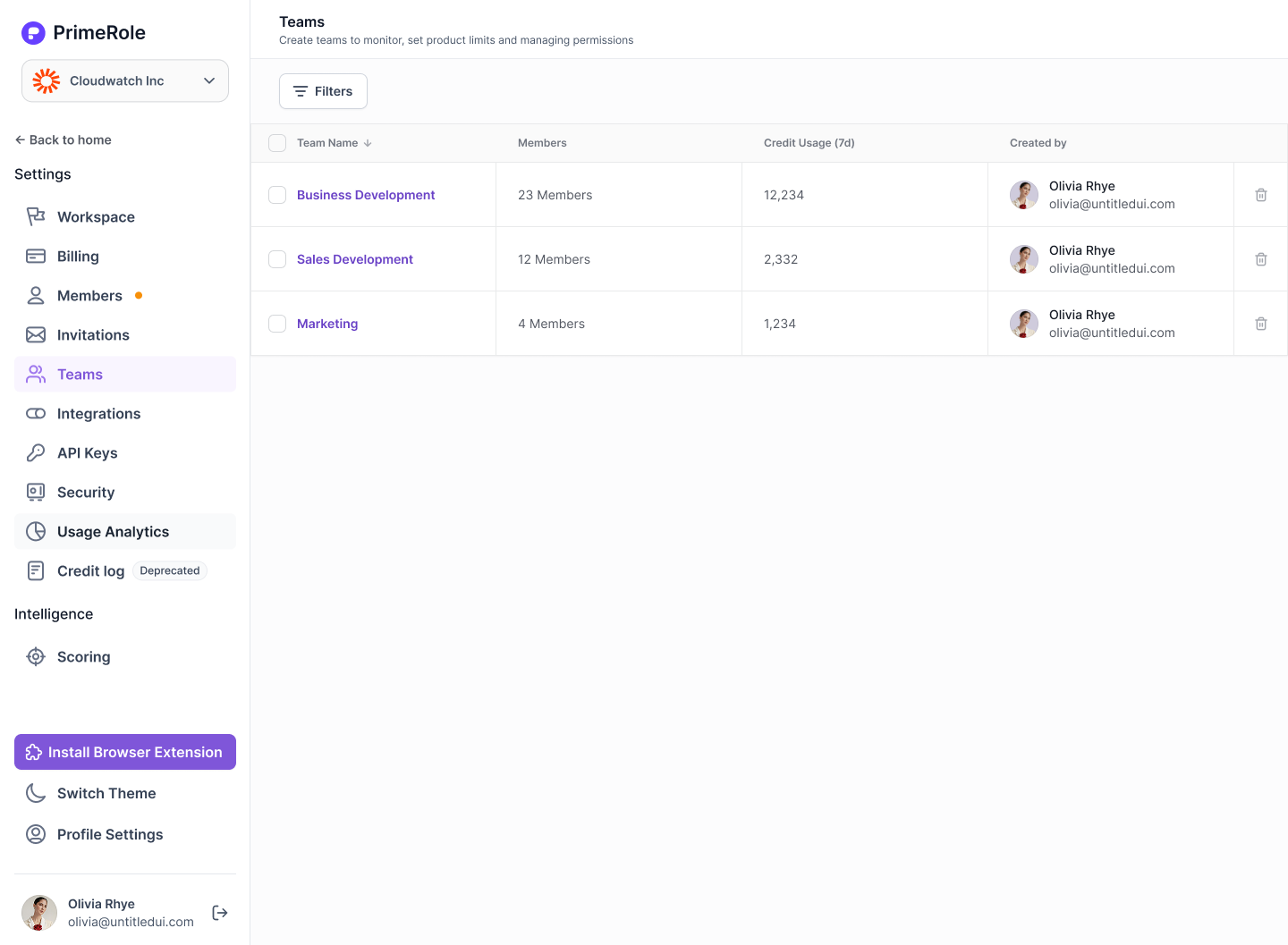
The Teams feature in PrimeRole lets you group users by function (like BDRs, SDRs, or AEs) and manage their access to products and credit usage — all from a single workspace view.
What Are Groups
Teams are logical groupings of users within your workspace. Beyond organizing users by department or role, Teams also enable centralized management of product subscriptions and credit limits.
- Example Teams
- BDRs
- Sales Development - North America
- Account Executives
- Revenue Operations
Key Capabilities
- Group Users into Teams
- Easily assign users to different teams based on function, region, or seniority.
- Track Credit Usage by Team
- Get a clear view of how much credit each team has used across all PrimeRole features.
- Manage Product Access at Team Level
- Assign or restrict product access and credit usage per team.
Inside Each Team
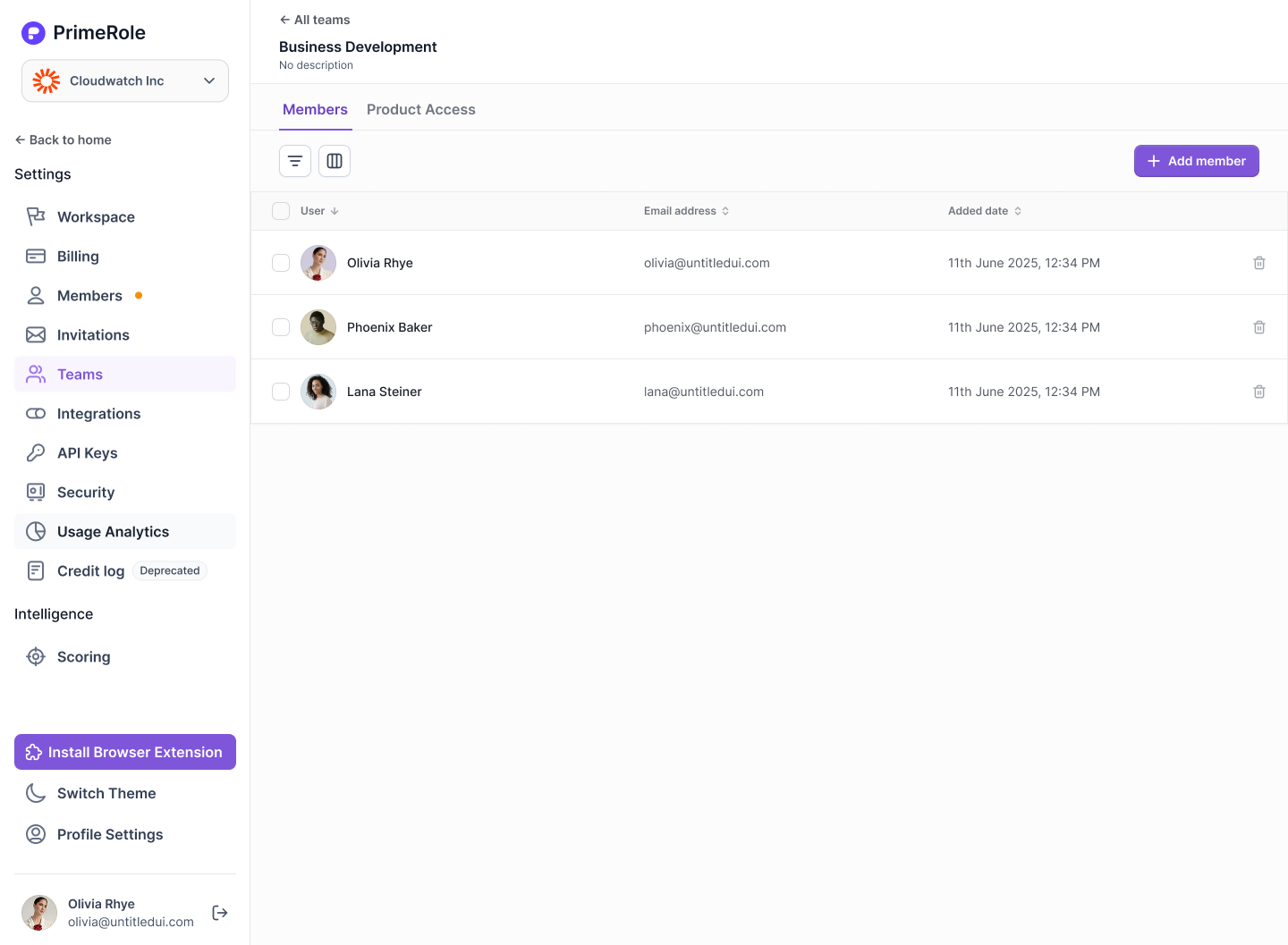
When you open a team, you’ll see two main sections:
- Members
- View all users assigned to the team. You can add or remove members here.
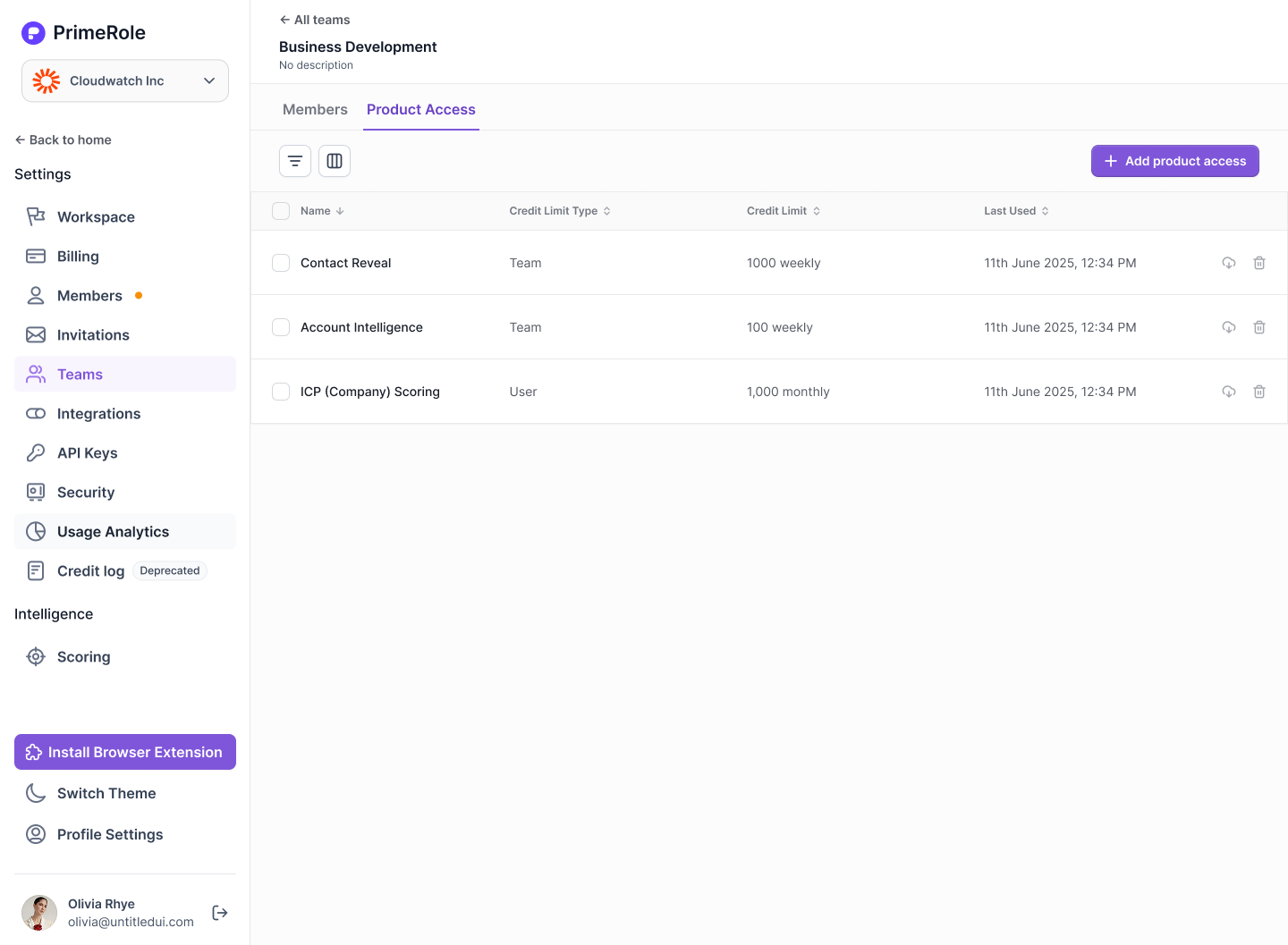
- Product Access
- Manage how this team accesses various PrimeRole features.
- Available Products: See which tools or features the team can access (e.g. Dialer, Enrichment)
- Credit Allocation: Set credit limits per product
- Credit Limit Type: Choose whether the limit is shared across the team or distributed per user
- Reset Timeline: Define how often the credits reset (e.g. monthly, quarterly)
- Manage how this team accesses various PrimeRole features.
- 🔒 Only admins can modify product access and credit settings for a team.
Why Use Teams?
- Organize your workspace efficiently
- Control access to features based on function or role
- Avoid over-usage by setting team-level credit caps
- Gain visibility into how each team is using PrimeRole
- Scale operations without losing control over resources